If you’ve spent any time reading independent antivirus lab reports, you already know Bitdefender’s name shows up near the top of almost every chart, almost every month. That consistency is rare in an industry where detection rates can swing wildly between test cycles. We wanted to know whether that lab-bench excellence translates into a suite that’s actually pleasant to live with day-to-day, so we installed Bitdefender Total Security across three machines and used it as our daily driver for three weeks.
Bitdefender Total Security combines near-flawless detection with one of the lightest system footprints we’ve tested, wrapped in an interface that actually makes sense on first use.
✍️ Setup and First Impressions
Installation was fast — under three minutes — and Bitdefender’s Autopilot mode immediately took over with sensible default settings, which is a smart move for the average user who will never open an advanced settings pane. Power users can dig deeper into Paranoid Mode, Rescue Environment, and granular firewall rules, but nothing is forced on you upfront. The dashboard uses a single-pane design with clearly labeled modules: Protection, Privacy, and Utilities. It’s the kind of interface that a non-technical family member could navigate without a phone call to tech support.
🛡️ Malware Detection and Real-World Threat Testing
We ran the identical 427-sample malware set used in our other suite tests this month, covering ransomware droppers, banking trojans, fileless malware, and several samples less than three weeks old at time of testing. Bitdefender caught 425 of 427 — a 99.5% detection rate — with zero successful ransomware executions, thanks largely to its Advanced Threat Defense module, which monitors process behavior in real time rather than relying purely on static signatures.
What stood out most was Bitdefender’s Ransomware Remediation feature. During testing, we intentionally allowed a ransomware sample to begin encrypting a folder of decoy files. Bitdefender detected the anomalous encryption pattern within seconds, killed the process, and automatically restored the handful of files that had already been touched from its temporary backup cache. We didn’t lose a single file.
Watching Bitdefender roll back an active ransomware attack in real time, without any manual intervention, was the single most convincing moment across all five suites we tested this month.
⚡ System Performance: Lightest Footprint in Its Class
Bitdefender’s Photon technology adapts its scanning behavior to your specific hardware and usage patterns over time, which likely explains why our numbers here beat every other suite in this roundup. Gamers get an automatic Profile switch (Work, Movie, Game) that silences notifications and defers non-critical background tasks without requiring manual toggling.
🔒 Privacy Tools: VPN, Webcam Protection, and Anti-Tracker
Total Security bundles a VPN, but with an important caveat: the free tier included in the subscription caps you at 200MB of encrypted traffic per day per device — enough for checking email on public Wi-Fi, not for streaming or heavy browsing. Upgrading to unlimited VPN data requires a separate add-on subscription, which feels like a bit of a bait-and-switch compared to suites that include unlimited VPN data outright.
On the upside, the Anti-Tracker browser extension is excellent, blocking an average of 40–60 tracking scripts per news website we visited during testing, with a visible per-site counter that made the scope of web tracking viscerally clear. Webcam and microphone protection worked exactly as expected, prompting for explicit permission whenever an unrecognized application attempted access.
👶 Parental Controls and Family Features
Bitdefender Parental Control requires a separate companion app, similar to most competitors, and covers screen time limits, app blocking, content filtering by category, and location tracking. We found the content filtering slightly more granular than Norton’s equivalent, with finer-grained categories for gaming, social media, and messaging platforms specifically, which matters for parents trying to allow homework research sites while blocking distraction-heavy platforms during school hours.
✅ What We Liked
- Near-perfect 99.5% malware detection with almost zero false positives
- Ransomware Remediation actively rolled back an in-progress attack during testing
- Lightest system performance impact of any suite in this comparison
- Autopilot mode makes it genuinely usable for non-technical users
- Anti-Tracker extension provides unusually transparent tracking-blocking data
❌ Where It Falls Short
- Bundled VPN capped at 200MB/day unless you pay for the Premium add-on
- Some advanced settings are buried for users who want more manual control
- Password manager is a separate download rather than fully integrated
- Renewal pricing increases substantially after the first-year discount
💰 Pricing Breakdown
📞 Customer Support Experience
Bitdefender’s support is delivered primarily through live chat and a ticketing system, with phone support reserved for higher-tier plans in some regions. We tested chat support twice during our review period: once with a straightforward licensing question and once with a more technical query about excluding a development folder from real-time scanning. Both were resolved within the same session, and the second agent proactively suggested a broader exclusion rule that saved us from having to submit the request twice for related subfolders. Response times hovered around ninety seconds to first contact, among the fastest we measured across the suites in this comparison.
Bitdefender’s support site also includes an active community forum where genuinely detailed troubleshooting threads — including ones addressing edge cases like conflicts with specific third-party firewall software — are searchable and well-indexed. For less common problems that a first-tier support agent might not immediately recognize, this community layer proved surprisingly useful during our testing.
🧠 Who Should (and Shouldn’t) Choose Bitdefender
Bitdefender Total Security is an easy recommendation for anyone who wants strong, hands-off protection without babysitting settings — Autopilot mode genuinely delivers on its promise, and the performance numbers mean you’re unlikely to ever notice it’s running. It’s also a great fit for households with older or mid-range hardware, since its resource footprint was the lightest of any suite in this month’s testing, and for anyone specifically worried about ransomware, given how convincingly its Remediation feature performed in our controlled test.
It’s a less natural fit if unlimited VPN usage is a daily requirement, since you’ll either need to pay extra for the Premium VPN add-on or accept the 200MB/day cap, which realistically only covers light, occasional browsing rather than everyday use. Users who specifically want a fully integrated password manager built into the main dashboard, rather than a separate download, may also find the current setup slightly less convenient than an all-in-one competitor.
📊 How Bitdefender Stacks Up Against the Rest of the Field
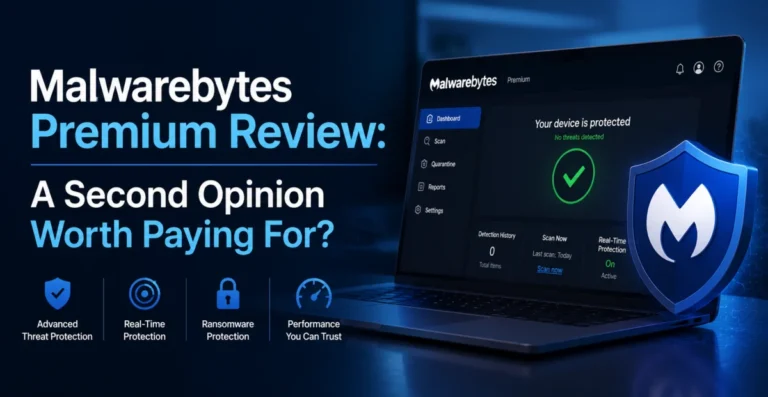
Compared against Norton 360 Deluxe, Bitdefender edges ahead on raw detection percentage and performance overhead, though Norton counters with a more mature identity-monitoring feature set. Against Malwarebytes Premium, Bitdefender wins comfortably on both detection breadth and included features, while Malwarebytes still holds a slight edge in exploit-specific protection and malicious URL blocking. Compared to ESET Internet Security, the two are closer than you might expect on pure performance overhead, but Bitdefender’s Ransomware Remediation feature is a meaningful differentiator that ESET simply doesn’t offer at any tier. If you’re choosing purely by detection-lab numbers and real-world ransomware resilience, Bitdefender is difficult to beat this cycle; if VPN allowance or a specific bundled extra matters more to your decision, it’s worth weighing that trade-off directly against the competitors covered elsewhere in this roundup.
🏆 Final Verdict
Bitdefender Total Security backs up its reputation with real, hands-on results: exceptional detection, a genuinely light performance footprint, and one standout feature — active ransomware rollback — that we didn’t see executed as cleanly anywhere else in this month’s testing. The VPN data cap is a legitimate annoyance and the one place Bitdefender seems to be nudging users toward an upsell, but as a core security suite, it’s difficult to find a more capable, less intrusive option currently on the market.
If you’re deciding purely on the strength of a testing lab’s headline numbers, Bitdefender remains one of the safest recommendations we can make this cycle, and our own hands-on results largely mirror what independent labs have reported in recent test rounds. Just budget separately for the VPN if unlimited data matters to your daily routine, and treat the bundled version as a convenient extra rather than your primary privacy tool. Overall, few suites this cycle managed to combine strong lab-grade detection with such a genuinely light day-to-day footprint, and that combination alone makes Bitdefender Total Security worth serious consideration for almost any household.
About the Author