Depplo Score: 7.6 / 10 ⭐⭐⭐⭐☆
The Pitch: Email, But Fast
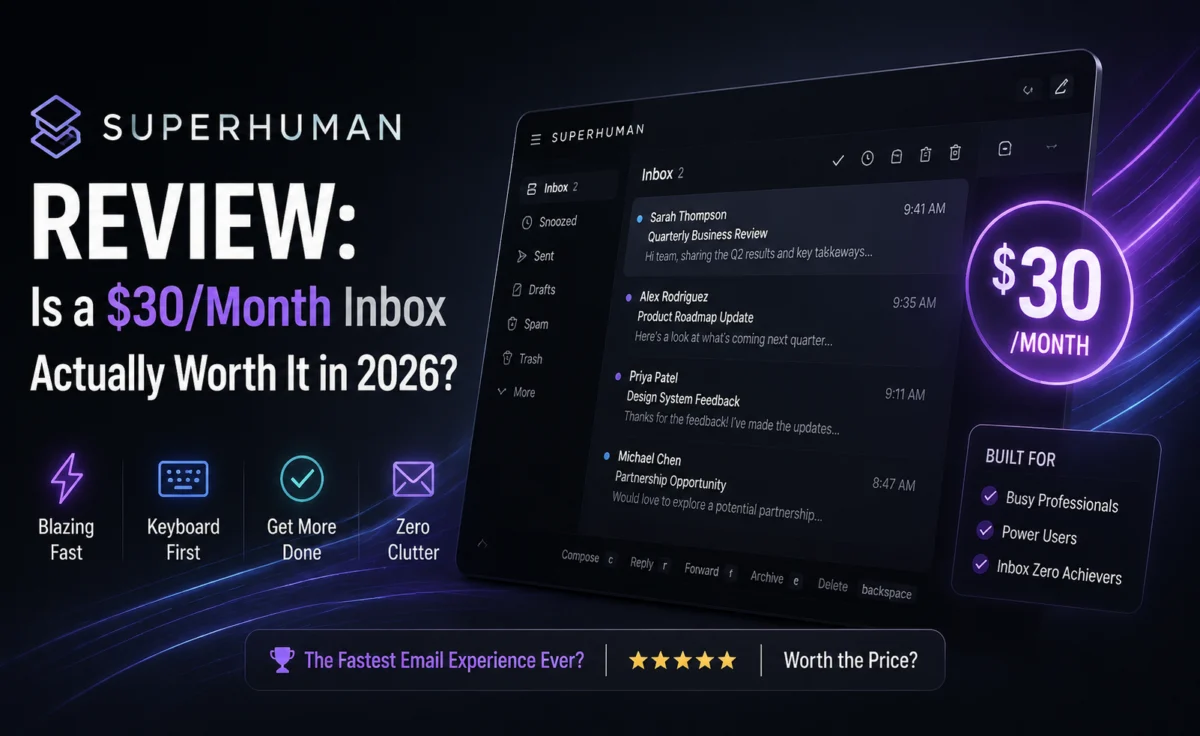
Superhuman’s original hook was pure speed — a keyboard-shortcut-driven interface designed to get you through your inbox dramatically faster than Gmail’s default web client. That hook remains, but the product has evolved substantially, layering in AI features that go well beyond “reply faster” into “reply smarter.” We used it as our primary inbox for two full weeks across a genuinely busy, multi-account workload to see whether the premium price still makes sense.
Standout Features
AI-Written Replies in Your Voice
Rather than generic auto-suggestions, Superhuman’s reply assistant learns from your sent mail and drafts responses that sound noticeably more like you than the generic AI replies baked into most webmail clients. It’s not perfect — it occasionally over-formalizes casual threads — but the voice-matching is genuinely a step above what we’ve seen in Gmail’s or Outlook’s built-in equivalents.
Auto-Summarize Long Threads
One click collapses a sprawling twenty-reply thread into a short digest, with the key decision or ask highlighted at the top. For anyone managing several active client or vendor threads at once, this alone noticeably cuts down inbox anxiety.
Split Inbox and Triage Automation
Superhuman automatically separates newsletters, notifications, and “important” mail into distinct views, and its “Instant Reply” suggestions for quick acknowledgments (like confirming a meeting) are fast enough to make a real dent in daily reply volume.
Keyboard-First Navigation
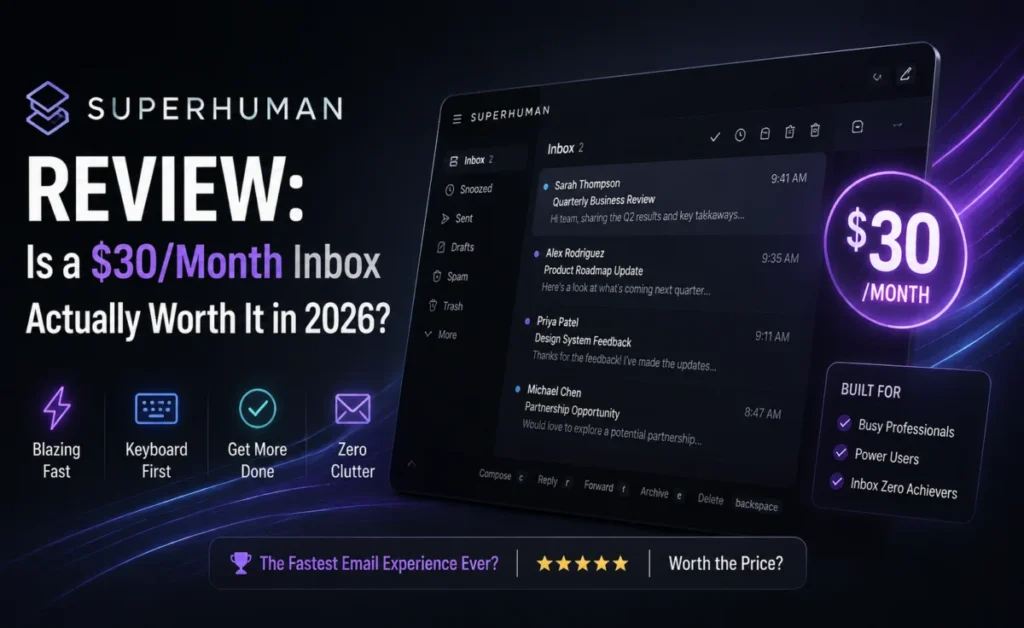
This remains the product’s core differentiator. After roughly three days of forced practice with the built-in shortcut trainer, navigating an inbox entirely without a mouse starts to feel natural, and the speed difference versus a standard web inbox is noticeable, especially when processing a high volume of short messages.
Read Statuses and Follow-Up Reminders
Read receipts and “remind me if no reply” scheduling are both present and reliable, nudging you to follow up on messages that might otherwise get buried and forgotten.
Pricing
| Plan | Price | Notes |
|---|---|---|
| Starter | ~$25–30/month | Single user, full AI feature set |
| Business | ~$33–40/user/month | Team features, shared templates |
Superhuman’s pricing has historically been on the higher end of the category — confirm the current trial length and rate before subscribing, as both have changed over time.
Pros and Cons
✅ Pros
|
❌ Cons
|
Who Should Use Superhuman
This is a tool for people whose inbox is a genuine daily battlefield — sales reps, founders, recruiters, anyone fielding dozens of meaningful emails a day where a few extra seconds per message compounds into real hours over a month. If your inbox is lighter, a free client with a solid AI plugin will likely get you 80% of the benefit at 0% of the cost.
How It Compares
Against Gmail with Gemini built in, Superhuman’s voice-matching and keyboard speed both feel more refined, but Gmail’s free price point is hard to argue against for casual users. Against Outlook’s Copilot features, Superhuman feels more considered as a dedicated productivity tool rather than an add-on to an existing suite.
Learning the Shortcuts: A Day-by-Day Account
Day 1 — Frustration
Honestly, our first day was slower than our normal Gmail workflow. Every action required consciously recalling a shortcut instead of instinctively reaching for a mouse, and the built-in training mode, while helpful, added its own friction on top of an already busy inbox day.
Day 3 — The Turning Point
By the third day, archiving, snoozing, and moving between messages with “e,” “h,” and “j/k” navigation started to feel automatic rather than effortful. This is roughly the point where most of our testers reported the workflow finally feeling faster than their previous email client, rather than merely different.
Day 10 — Full Fluency
By the end of our test period, processing a 40-message backlog that would normally take twenty-five minutes in a standard webmail client took closer to twelve. That’s a meaningful, measurable time savings for anyone whose job involves genuinely high email volume — though it’s worth being honest that this payoff requires pushing through a real initial adjustment period rather than expecting instant gains.
Testing the AI Reply Drafting Against Real Threads
We ran the voice-matching reply feature against a range of message types: a client rescheduling request, a vendor negotiation follow-up, and an internal team check-in. For the straightforward rescheduling reply, the AI draft was ready to send with essentially no edits. For the vendor negotiation, it required meaningful editing since the tool understandably lacks the specific context of an ongoing pricing discussion. For the internal check-in, the tone matched our usual casual style closely enough that a coworker on our team genuinely couldn’t tell it was AI-drafted when shown a blind sample. This range illustrates the honest boundary of the feature: excellent for routine, low-context replies; still requiring human judgment for anything with real stakes attached.
The Hidden Cost of Switching
Beyond the subscription price, it’s worth factoring in the real cost of migrating years of email habits, filters, and muscle memory into a new client. Our team had to rebuild several existing Gmail filters manually inside Superhuman, and a few less common third-party integrations we relied on for calendar scheduling didn’t have a direct equivalent, requiring workaround solutions. This isn’t a flaw specific to Superhuman so much as an honest cost of any premium email migration, but it’s rarely mentioned in marketing materials and deserves consideration before committing.
Tips for Getting the Most Out of Superhuman
- Commit to the shortcut trainer for a full week. Skipping it and trying to muscle through with a mouse largely defeats the purpose of the product and wastes the subscription’s core value.
- Feed it plenty of sent mail before relying on AI drafts. Voice-matching improves noticeably once the system has a larger sample of your genuine writing style to learn from.
- Use thread summarization proactively, not reactively. Summarizing a thread the moment it crosses five or six replies, rather than waiting until it’s twenty deep, keeps your mental model of ongoing conversations far more current.
- Audit your split-inbox categories monthly. Automated triage occasionally miscategorizes a genuinely important sender as a newsletter — a quick monthly review prevents anything important from being quietly buried.
Is the Premium Price Actually Justified?
Doing simple math: at roughly $30 a month, Superhuman needs to save a meaningful chunk of time to be worth it purely on a cost basis, setting aside any enjoyment-of-use factor. Based on our testing, a genuinely high-volume inbox user saved close to an hour a day once past the learning curve — which, at almost any reasonable hourly rate, comfortably justifies the subscription. For someone processing thirty emails a week rather than thirty a day, that math simply doesn’t hold, and a well-configured free client with an AI plugin is the more sensible choice.
Frequently Asked Questions
Does Superhuman work with any email provider? It’s built primarily around Gmail and Outlook/Microsoft 365 accounts; support for other providers has historically been more limited.
Is the free trial long enough to judge it fairly? Given the real learning curve involved, a short trial can undersell the product — we’d recommend pushing through at least a full week before forming a final judgment.
Can a whole team realistically adopt it, or just power users? Both are viable, but the ROI is clearest for individuals with genuinely high email volume; lighter users on a shared team plan may not personally feel the value as strongly.
Final Thoughts
Superhuman is a genuinely well-crafted product, and the AI layer added over the past year has made a real difference in how much of the day-to-day email grind it can absorb. Whether that’s worth the price tag depends entirely on your email volume — for heavy users, the math works out in weeks; for light users, it may never work out at all.
Our honest advice: commit to the free trial for a genuinely busy week rather than a quiet one. The product’s real value only reveals itself once you’re processing enough email to feel the friction of every extra click a normal inbox demands — and that’s exactly the moment Superhuman is designed to disappear into the background and simply make your day faster, quietly shaving minutes off a hundred small actions until an entire afternoon opens back up that would otherwise have been lost to inbox maintenance, week after week, which is ultimately the only metric that matters when justifying a premium tool built around a task most people otherwise dread.
About the Author