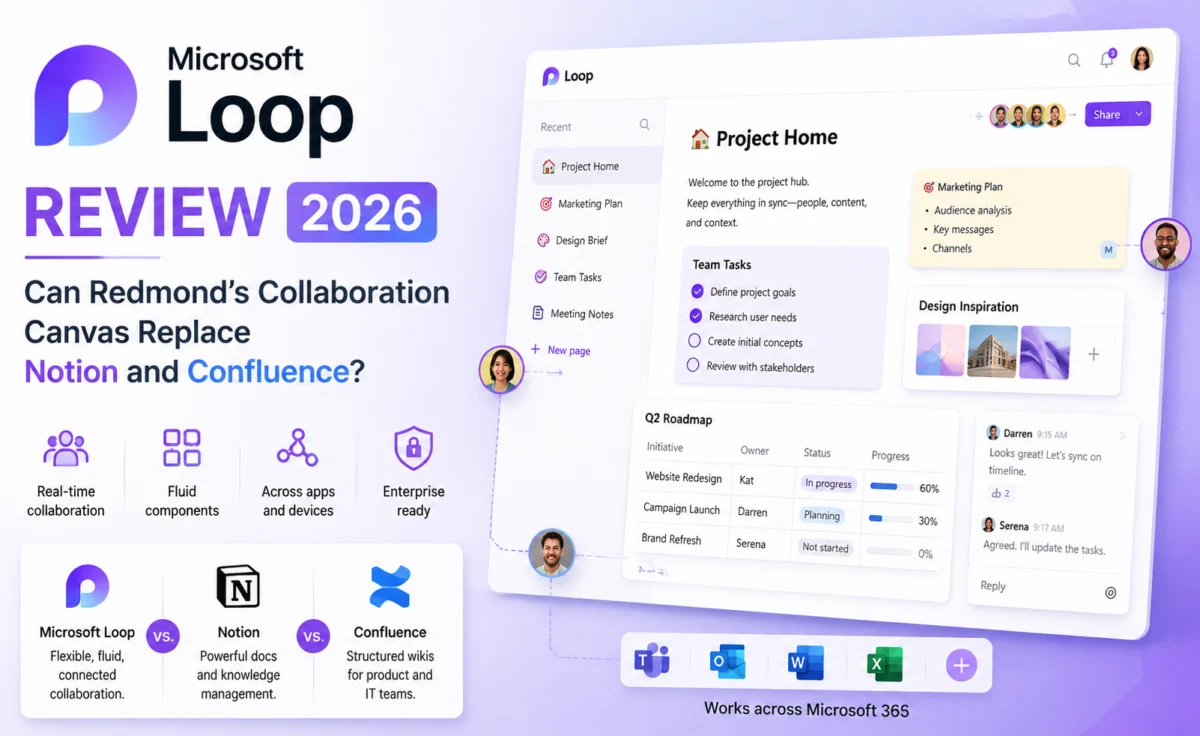
Microsoft has tried to build a Notion competitor before, in one form or another, for years — and largely failed to gain traction outside of organizations already deeply embedded in the Microsoft 365 ecosystem. Loop is the company’s most serious attempt yet, and after a genuinely turbulent rollout history, it has quietly matured into a tool that deserves a real look, particularly for teams already living inside Teams, Outlook, and SharePoint.
We tested Loop for two and a half weeks with a 20-person operations team already fully committed to the Microsoft 365 stack, comparing it directly against the Notion and Confluence setups it was meant to replace. The results were more interesting than we expected — occasionally impressive, occasionally a reminder of exactly why “built by committee inside a giant company” software gets a bad reputation.
Quick Verdict
| Overall Score | 3.8 / 5 — ★★★★☆ |
| Best For | Organizations already deeply invested in Microsoft 365 |
| Starting Price | Included with most Microsoft 365 Business and Enterprise plans |
| Standout Feature | Live “Loop components” that stay in sync across Teams, Outlook, and Word |
| Biggest Drawback | Weak standalone database and view functionality compared to Notion |
First Impressions: A Product Built to Live Inside Other Products
The single most important thing to understand about Microsoft Loop is that it was never really designed to be used on its own. Loop workspaces exist, and Loop pages exist, but the product’s real identity is as a layer of shared, always-synced content that surfaces inside Teams chats, Outlook emails, and Word documents. A table dropped into a Teams channel isn’t a static screenshot or a link — it’s a live “Loop component” that updates in real time no matter where it’s viewed from.
For teams already fragmented across Teams conversations, email threads, and shared documents, this is a genuinely clever answer to a real problem: the same status table no longer needs to be manually copied and re-pasted into five different places, each version drifting slightly out of sync with the others. For teams evaluating Loop as a standalone Notion or Confluence replacement, though, the experience is noticeably less polished the moment you try to use it purely as a wiki or a database tool.
Design & Usability
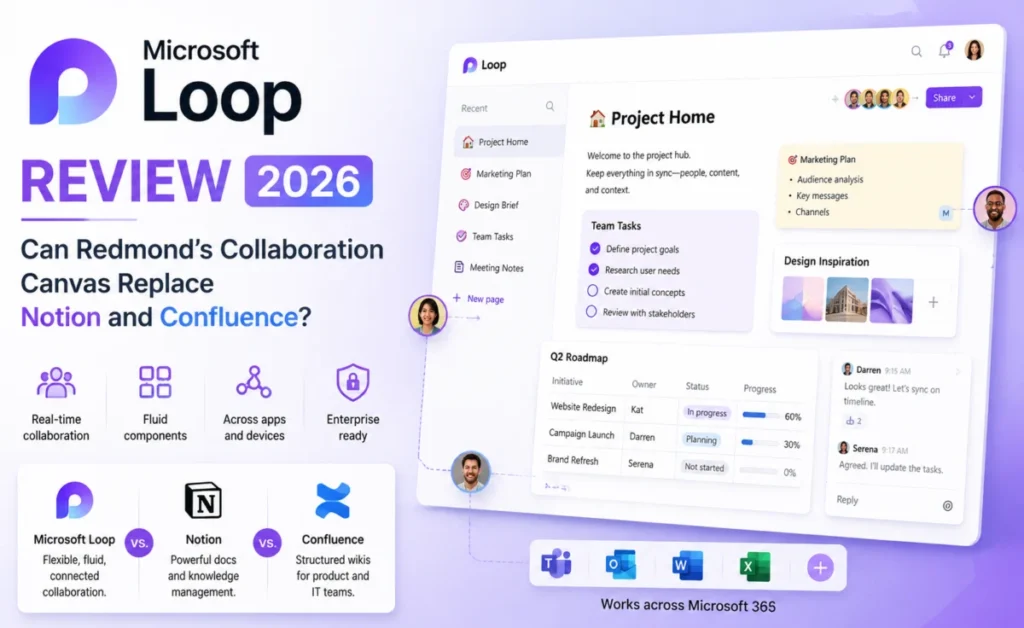
Visually, Loop borrows heavily from the Fluent Design language found across modern Microsoft 365 apps — clean, rounded components, generous whitespace, and a light color palette that feels consistent with Teams and Outlook. For organizations where employees already spend most of their day inside those apps, that consistency reduces the cognitive overhead of learning a new tool.
Where usability suffers is in navigation. Because Loop content is designed to be embedded and referenced from other apps, the standalone Loop workspace itself can feel like an afterthought — a flat list of pages with fairly limited organizational structure compared to Notion’s nested page hierarchy or Confluence’s space-and-page model. Finding a specific page created three weeks ago, without remembering which Teams channel it was originally shared in, proved more difficult than it should have been during our testing.
Core Features Deep Dive
Loop Components
The headline feature, and the one Microsoft has clearly invested the most engineering effort into. Tables, task lists, voting components, and progress trackers can all be created once and embedded across multiple Microsoft 365 surfaces, with every instance staying live-synced. In practice, this worked reliably throughout testing — updating a shared task list from within a Teams chat correctly reflected the change moments later in the version embedded in an Outlook email, which is a small technical achievement that’s easy to take for granted until you’ve dealt with the alternative.
Copilot Integration
Loop’s Copilot integration is deeply tied to the broader Microsoft 365 Copilot subscription, and where organizations already pay for that add-on, the results are genuinely strong. Copilot can summarize a Loop page’s discussion history, draft meeting agendas from a linked calendar event, and generate first-draft project plans from a short prompt. Without a Copilot license, these features are largely unavailable, which meaningfully changes the value proposition depending on an organization’s existing licensing.
Databases and Tables
This is Loop’s clearest weakness relative to Notion. Tables support basic column types and filtering, but lack the relational database features, formulas, and custom views that make Notion or Airtable genuinely powerful project management tools. Teams hoping to fully replace a Notion-based CRM or content calendar with Loop will likely find themselves working around real functional gaps.
Permissions and Sharing
Because Loop inherits its permission model from the broader Microsoft 365 and Entra ID (formerly Azure AD) ecosystem, enterprise-grade access control is genuinely strong — arguably stronger than Notion’s equivalent, particularly for large organizations with complex existing security policies already configured across their Microsoft environment.
Performance & Speed
Loop performed reliably throughout testing with no major slowdowns, though real-time sync between embedded components occasionally lagged by a second or two under heavier collaborative editing — multiple people editing the same live table simultaneously. Nothing severe enough to disrupt work, but noticeable enough to mention for teams planning heavy concurrent use.
Pricing Breakdown
| Plan | Price | Best For |
|---|---|---|
| Included | $0 extra | Most Microsoft 365 Business Standard/Premium subscribers |
| Microsoft 365 Business Premium | $22/user/month | Small-to-mid businesses wanting the full 365 suite |
| Microsoft 365 Copilot Add-on | $30/user/month | Teams wanting AI summaries and drafting inside Loop |
Who Should Use Loop (and Who Shouldn’t)
Loop makes the most sense for organizations already fully invested in Microsoft 365 who want to reduce duplicated status updates scattered across Teams and Outlook, particularly those who already pay for a Copilot license. It is a weaker choice for teams starting from scratch without existing Microsoft infrastructure, or for anyone who needs a genuinely powerful standalone database tool — Notion, Airtable, or ClickUp remain stronger options there.
“Loop isn’t trying to beat Notion at being Notion. It’s trying to make the version of collaboration Microsoft 365 users are already doing badly a little less bad. Judged on that narrower goal, it mostly succeeds.” — Depplo Team testing notes
Pros and Cons
| Pros | Cons |
|---|---|
| Genuinely useful live-sync components across Teams and Outlook | Weak standalone database and view functionality |
| Strong enterprise permission and security model | Best AI features locked behind separate Copilot subscription |
| Included at no extra cost for most 365 business plans | Standalone workspace navigation feels underdeveloped |
| Familiar Fluent Design for existing Microsoft 365 users | Occasional sync lag during heavy concurrent editing |
Integrations and Ecosystem
Loop’s integration story is, unsurprisingly, entirely centered on the Microsoft ecosystem itself rather than a broad external marketplace. It connects natively and deeply with Teams, Outlook, Word, Excel, PowerPoint, and SharePoint, and that depth is genuinely difficult for any outside competitor to match — a Loop table embedded in an Outlook email will stay live-synced with the same data referenced in a Teams meeting note, something no third-party tool can replicate without significant workarounds. External integrations beyond the Microsoft stack, however, remain comparatively thin; there is no meaningful Slack integration, for example, which will matter for any organization running a hybrid communication stack rather than a Teams-only environment.
For organizations already using Microsoft’s Power Automate for workflow automation, Loop pages and components can be referenced as automation triggers and targets, allowing genuinely sophisticated cross-app workflows for teams with the technical know-how to build them. This is a meaningful advantage for larger enterprises with dedicated IT or operations staff, but it’s a feature that will go largely untouched by smaller teams without that same technical investment.
How It Compares to the Alternatives
Against Notion, Loop loses clearly on standalone database functionality and page organization, but wins decisively for organizations that need tight, native integration with existing Microsoft 365 infrastructure and enterprise-grade permissions. Against Confluence, Loop offers a noticeably more modern, lightweight editing experience, though Confluence still holds an edge in structured, large-scale documentation for bigger engineering organizations. The clearest way to frame the decision: choose Loop if your organization’s core problem is fragmented communication across Teams and Outlook, and choose Notion or Confluence if your core problem is genuinely needing a powerful, standalone knowledge base or database.
A Real-World Testing Scenario
The clearest illustration of Loop’s value came from a weekly leadership status update that the 20-person operations team had previously maintained as a Word document attached to a recurring email, manually re-sent and re-edited by three different people each week, with version conflicts a near-constant headache. Rebuilding that same status update as a Loop component embedded directly in a recurring Teams meeting note eliminated the version-conflict problem entirely — all three contributors edited the same live table simultaneously, changes appeared instantly for everyone, and the same component could be referenced from the following week’s Outlook summary email without any copy-pasting. It was, by a wide margin, the single most convincing use case we found for the product during testing, and a strong signal for exactly which kind of organizational pain point Loop is actually built to solve.
Final Verdict
Microsoft Loop is not a Notion killer, and it doesn’t appear to be trying to be one. As a live-sync layer stitched between the apps that Microsoft 365 organizations already use every day, it solves a genuinely annoying problem reasonably well. As a standalone wiki or database tool, it still has real catching up to do. The right verdict depends entirely on which of those two things your team actually needs.
Rating: ★★★★☆ 3.8/5
About the Author