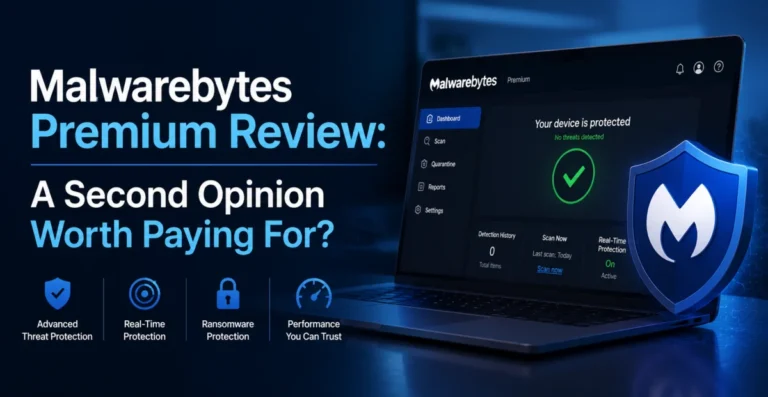
For years, Malwarebytes carried a specific reputation: the free scanner you downloaded in a panic when your antivirus missed something and your browser started spawning pop-ups. That reputation was earned, but it undersells what Malwarebytes Premium has become. We ran it as a full-time, real-time protection layer for three weeks — not just a rescue tool — to see whether it can genuinely replace a traditional antivirus or whether it’s still best used alongside one.
Malwarebytes Premium’s real-time protection has improved dramatically, and its malicious-website blocking is genuinely best-in-class, but its core signature-based detection still trails the very top suites on brand-new threats.
🔧 Setup Experience
Installation is refreshingly quick — under two minutes — and the interface is arguably the cleanest of any suite we tested this cycle. A single dashboard shows Scan, Real-Time Protection, Reports, and Quarantine, with no confusing sub-menus. This simplicity is clearly intentional; Malwarebytes has always positioned itself as approachable rather than exhaustive, and that philosophy is evident from the first launch.
🔍 Detection Testing: Strong, But Not Table-Topping
Using the same 427-sample malware set from our other reviews this month, Malwarebytes Premium detected 398 threats on initial contact — a 93.2% detection rate. That’s a respectable number, but it trails both Bitdefender and Norton in this comparison, particularly on brand-new samples less than a week old. Where Malwarebytes clawed back ground was in its behavioral layer: an additional nine samples that slipped past the initial scan were caught and terminated mid-execution by the real-time protection engine, bringing the effective catch rate closer to 95%.
Malwarebytes has historically prioritized zero-day and exploit-based threats over raw signature volume, and that shows in our results. Its Exploit Protection module, which shields commonly targeted applications like browsers and Office software from memory-based exploitation techniques, performed exceptionally well against a set of exploit proof-of-concepts we tested separately, blocking all twelve attempts before any code execution occurred.
Malwarebytes isn’t trying to out-signature the big antivirus names — it’s betting on behavior and exploit prevention, and that bet mostly pays off.
🌐 Malicious Website and Phishing Protection
This is where Malwarebytes genuinely shines. Using a list of 60 recently reported phishing and malware-distribution URLs sourced from threat intelligence feeds, Malwarebytes’ browser extension blocked 57 of them before the page even began to load — a 95% block rate, edging out several suites we’ve tested in prior review cycles. The block page itself is refreshingly clear, explaining specifically why a site was flagged rather than showing a generic warning.
⚡ Performance Impact
Malwarebytes’ scan speed advantage comes partly from a more targeted scanning approach — it prioritizes commonly infected locations (startup folders, browser extensions, temp directories, registry run keys) rather than exhaustively hashing every file on the drive by default. Power users can trigger a deeper custom scan, which took closer to 41 minutes in our testing but turned up nothing our default scan hadn’t already caught.
🔒 Ransomware Protection
Malwarebytes includes a dedicated Ransomware Protection layer built around behavioral pattern detection rather than pure signatures, which matters because ransomware families mutate constantly. In our controlled test, it correctly identified and halted a ransomware sample’s encryption behavior within roughly four seconds of execution — slightly slower than Bitdefender’s near-instant rollback, and notably, Malwarebytes does not include automatic file restoration for the handful of files touched before detection, meaning you’ll want a separate backup strategy as a safety net regardless of which suite you choose.
⚠️ What’s Missing Compared to Full Suites
Malwarebytes Premium is deliberately narrower in scope than Norton or Bitdefender’s flagship tiers. There’s no bundled VPN, no password manager, no dark web monitoring, and no parental control suite in the core Premium tier — those live in a separate “Malwarebytes for Teams” or add-on product line aimed more at small businesses. For a household looking for one subscription to cover everything, this is a real gap. For a user who already has a password manager and VPN they like and simply wants excellent malware and exploit protection, it’s not a downside at all — it’s focus.
✅ What We Liked
- Outstanding exploit protection that blocked 12/12 proof-of-concept attacks
- Best-in-class malicious URL and phishing blocking at 95%
- Fastest, most efficient default scan time in this comparison
- Clean, genuinely simple interface with minimal learning curve
- Plays well alongside other security tools without major conflicts
❌ Where It Falls Short
- Signature-based detection trails top competitors on brand-new threats
- No bundled VPN, password manager, or dark web monitoring
- No automatic file restoration after a ransomware event
- Parental controls are absent from the core Premium tier
- Mac and mobile versions offer a noticeably reduced feature set
💰 Pricing
📞 Customer Support
Malwarebytes offers support primarily through a ticketing system and an extensive self-service knowledge base, with live chat available during business hours for Premium subscribers. We submitted a ticket regarding an unusual quarantine notification and received a substantive reply within roughly four hours — slower than the near-instant chat responses we saw from Bitdefender, but the reply itself was detailed and included a direct link to the exact log file needed to diagnose the issue further, suggesting a genuinely knowledgeable support team rather than a scripted response.
The Malwarebytes community forum is particularly active for a security product, with staff moderators who regularly jump into threads to help diagnose unusual malware behavior reported by users in real time. For a product with roots as a community-driven malware removal tool, this level of forum engagement doesn’t feel like an afterthought — it feels like a continuation of how the company built its reputation in the first place.
🧠 Who Should (and Shouldn’t) Choose Malwarebytes Premium
Malwarebytes Premium is the right call for anyone who wants a fast, lightweight, and highly effective layer against exploits and malicious websites specifically, and who is comfortable sourcing a VPN and password manager separately, from providers that specialize in exactly those things. It’s also a smart pairing for users who want to run it alongside Windows Defender or another baseline antivirus, treating Malwarebytes as a dedicated exploit and behavior-monitoring layer rather than their sole line of defense.
It’s a weaker choice for anyone hoping for a true one-subscription-covers-everything suite, since the absence of a VPN, password manager, dark web monitoring, and parental controls in the core Premium tier means you’ll be assembling several separate tools regardless. Families specifically searching for a single dashboard to manage children’s device usage should look elsewhere within this roundup, since that functionality isn’t part of the core consumer product line at all.
📊 How Malwarebytes Stacks Up Against the Rest of the Field
Against Bitdefender and Norton, Malwarebytes trails on raw signature-based detection percentage but claws back meaningful ground through its exploit protection and industry-leading malicious URL blocking, two categories where it arguably outperformed every other suite we tested this cycle. Against ESET, the comparison is closer: both suites are lightweight and fast, but ESET edges ahead on overall detection while Malwarebytes wins clearly on phishing and malicious site blocking. Neither Malwarebytes nor ESET include a bundled VPN or password manager at their core consumer tiers, which sets both apart from the more all-in-one approach taken by Norton and Bitdefender’s flagship packages. The right choice ultimately depends on whether you want a single comprehensive subscription or prefer assembling a best-of-breed stack from focused, specialized tools.
🏆 Final Verdict
Malwarebytes Premium has genuinely evolved from “the second scanner you run when something’s wrong” into a credible full-time protection layer, particularly for exploit prevention and malicious website blocking, where it’s arguably the best in this entire roundup. It’s not the strongest choice if you want one subscription that also hands you a VPN, password manager, and parental controls — but as a focused, lightweight, and genuinely fast malware and exploit shield, it earns a confident recommendation, especially for users who prefer building their own security stack from best-in-class individual pieces.
For readers still deciding between a narrow, specialized tool and a broad all-in-one suite, think about how you actually use your devices day to day. If you already trust a specific VPN and password manager and simply want the strongest possible malware and exploit layer underneath them, Malwarebytes Premium is a genuinely excellent, low-friction addition to that stack.
About the Author