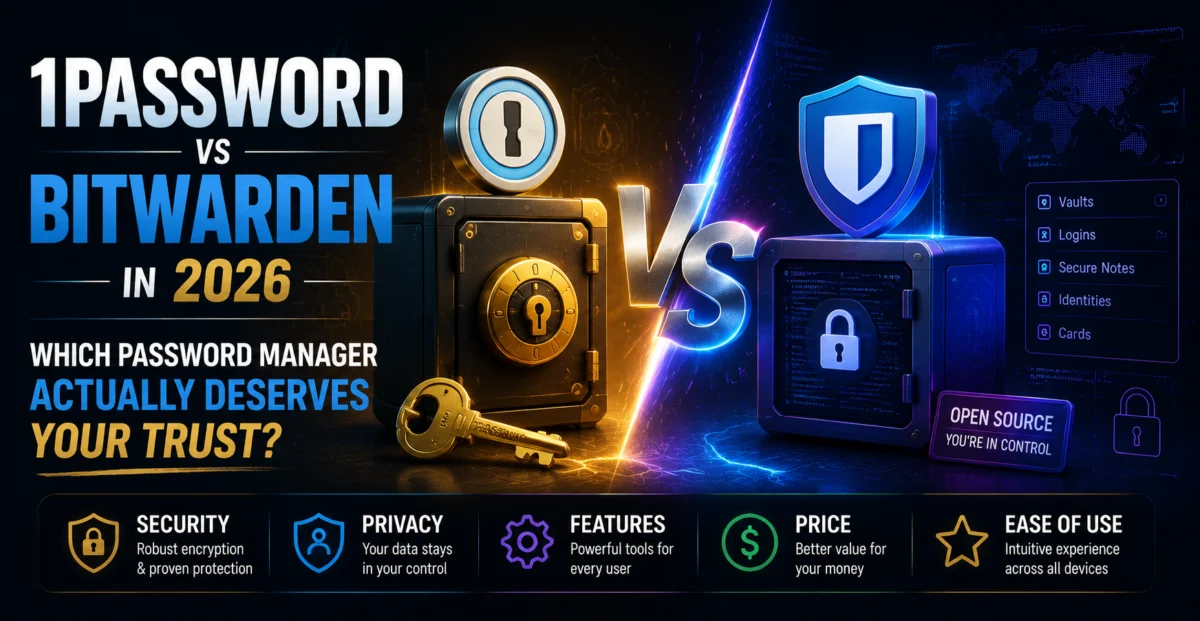
Password managers are the unglamorous backbone of good personal security — the tool doing the most work while asking for the least attention. Two names dominate almost every recommendation list: 1Password, known for its polish and business-friendly features, and Bitwarden, beloved for its open-source transparency and famously generous free tier. We used both as our daily drivers across desktop, mobile, and browser extensions for two weeks to see which one actually deserves a permanent spot in your workflow.
There is no bad choice here. 1Password is the more refined, business-ready experience; Bitwarden is the better value and the more transparent architecture, particularly for privacy-conscious users who want to self-host.
🔐 Security Architecture: How They Actually Protect Your Data
Both services use zero-knowledge, end-to-end encryption, meaning neither company can read your stored passwords even if compelled to. 1Password uses AES-256 encryption combined with its Secret Key system — a unique 34-character key generated on your device during setup that’s combined with your master password to derive your encryption key. This means even a leaked or guessed master password alone isn’t enough to unlock your vault without also having your Secret Key, which never leaves your device.
Bitwarden also uses AES-256 encryption but relies on your master password (strengthened via PBKDF2 or Argon2 key derivation, user-configurable) without an equivalent secondary key. Bitwarden’s biggest security differentiator is that its entire codebase is open source and has been independently audited multiple times, meaning security researchers worldwide can inspect exactly how your data is protected rather than trusting a company’s word alone.
1Password’s Secret Key adds a genuinely clever extra layer; Bitwarden’s open-source transparency means you don’t have to take that claim on faith in the first place.
📱 Everyday Usability: Autofill, Browser Extensions, and Mobile
1Password’s autofill is close to flawless across the sites and apps we tested during this comparison, correctly detecting login fields on notoriously tricky sites (multi-step login forms, single-page apps) more consistently than Bitwarden did. Its browser extension also includes a Watchtower feature that proactively flags weak, reused, or breached passwords with clear, prioritized recommendations on what to fix first.
Bitwarden’s autofill has improved substantially and handled roughly 90% of our test logins without issue, occasionally requiring a manual copy-paste on a handful of unusual login forms. Its interface is more utilitarian — functional and fast, but visually plainer than 1Password’s more consumer-friendly design language. For users who prioritize function over form, this won’t matter at all; for those who want their tools to feel premium, 1Password has a clear edge.
👥 Sharing and Family/Team Features
1Password’s family and team sharing tools are more mature, with granular permission levels, shared vaults organized by group, and a smoother invitation flow that non-technical family members found easy to follow in our informal testing with a small group of relatives. Bitwarden’s sharing via Organizations works well but requires slightly more setup knowledge, and its free tier restricts sharing to a single organization with a limited collection structure — still usable for a small household, but clearly designed to nudge larger teams toward a paid tier.
💰 The Free Tier Question
This is where Bitwarden pulls decisively ahead. Its free tier includes unlimited password storage, unlimited devices, and basic sharing with one other person — a genuinely usable, complete password manager at no cost. 1Password has no free tier at all beyond a limited trial period, positioning itself firmly as a paid product from day one.
🔑 Recovery and Emergency Access
Both services handle the classic password manager dilemma — what happens if you forget your master password — reasonably well. 1Password’s account recovery relies on your Secret Key plus account details, and if you lose both your master password and your Secret Key with no recovery contact set up, your vault is genuinely, permanently unrecoverable by design. Bitwarden offers a similar zero-knowledge guarantee, with an optional Emergency Access feature letting a trusted contact request access after a configurable waiting period, which we found slightly more approachable for less technical family members setting up a safety net.
✅ What We Liked
- 1Password: near-flawless autofill and a genuinely polished, consumer-friendly interface
- 1Password: Secret Key adds a meaningful extra security layer beyond just a master password
- Bitwarden: fully open-source and independently audited, nothing to take on faith
- Bitwarden: genuinely usable free tier with unlimited passwords and devices
- Bitwarden: official self-hosting option for privacy-focused users and organizations
❌ Where It Falls Short
- 1Password: no free tier, paid from day one after the trial period ends
- Bitwarden: interface feels more utilitarian and less consumer-polished
- Bitwarden: occasional autofill misses on unusual, non-standard login forms
- 1Password: losing both your master password and Secret Key means permanent vault loss
- Bitwarden: free tier sharing is limited to a single organization and one other person
📞 Customer Support: A Meaningful Difference in Practice
1Password offers email-based support along with an extensive, well-organized help center, and notably does not offer live chat or phone support — a deliberate choice the company has stated is meant to keep support quality consistent rather than optimizing purely for response speed. During our testing, an email query about migrating vault data from a competing password manager received a thorough, step-by-step reply within about five hours, including a direct link to 1Password’s dedicated import tool for the specific competitor we mentioned.
Bitwarden’s support is similarly email and ticket-based for free-tier users, with priority support available to Premium and Families subscribers. Our test ticket, asking about configuring Argon2 key derivation settings, received a knowledgeable reply within roughly eight hours. Given Bitwarden’s open-source nature, we also found that many technical questions were already thoroughly answered in community-maintained documentation and GitHub discussions, occasionally faster than waiting on an official ticket reply, which is a genuine advantage of its transparent development model.
🧠 Who Should Choose Which
Choose 1Password if you’re setting up password management for a small business or family that includes less technical members, since its onboarding flow, Watchtower dashboard, and sharing permissions are noticeably more approachable for people who don’t want to think hard about security concepts. It’s also the better pick if you specifically value the extra reassurance of the Secret Key architecture and don’t mind paying for that peace of mind from day one.
Choose Bitwarden if budget matters, if you want to personally verify security claims rather than trust marketing copy, or if you’re technical enough to appreciate (or even want) the option to self-host your own vault infrastructure. It’s also a strong pick for individuals or small teams who simply need solid, unlimited password storage without paying for features — like advanced sharing dashboards — that a family of one or two people simply won’t use.
🔒 Two-Factor Authentication and Advanced Security Options
Both services support two-factor authentication for the vault itself, but the depth of options differs. 1Password supports authenticator apps, hardware security keys (YubiKey), and Duo integration on its higher tiers, alongside the mandatory Secret Key that functions as a built-in second factor by design. Bitwarden supports authenticator apps and email-based codes on its free tier, with hardware key support (including YubiKey and FIDO2 passkeys) reserved for Premium subscribers — a reasonable trade-off given the otherwise generous free feature set, but worth knowing upfront if hardware key support is a hard requirement for you specifically.
Both services also now support storing and autofilling passkeys, the increasingly common passwordless login standard being adopted by major platforms. In our testing, 1Password’s passkey handling was slightly more seamless across supported sites, while Bitwarden’s implementation worked correctly but occasionally required an extra manual click to select the correct saved passkey when multiple accounts existed for the same site.
🏆 Final Verdict
Choosing between these two comes down to what you value more. If you want the most polished day-to-day experience, the strongest proactive security dashboard, and don’t mind paying from the start, 1Password is worth the subscription. If you want a fully-featured free password manager, complete code transparency through open-source auditing, and the option to self-host, Bitwarden is very hard to beat — especially for privacy-conscious users and anyone managing a tight budget. Either choice represents a dramatic security upgrade over reusing passwords or storing them in a browser alone, so the real failure mode here isn’t picking the “wrong” one — it’s not picking either.
About the Author