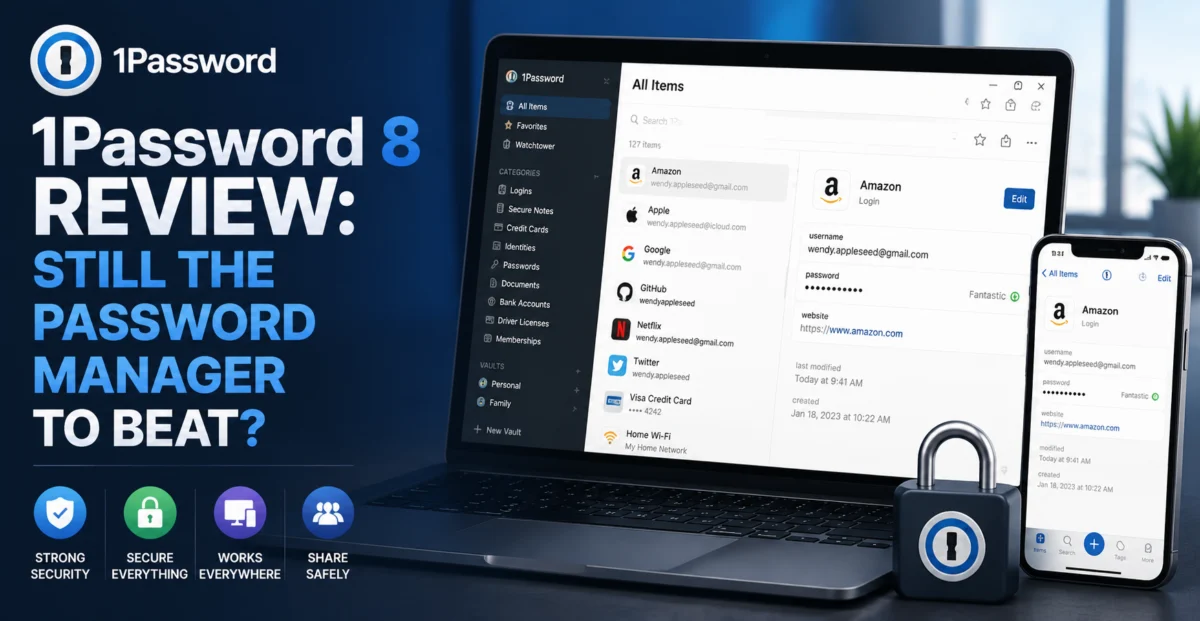
Password managers occupy a strange position in the utility software world: the best ones are almost invisible, quietly filling in credentials dozens of times a day without you ever thinking about them, and the worst ones announce themselves constantly through failed autofills, clunky browser extensions, and sync errors at exactly the moment you’re in a hurry. 1Password has spent over fifteen years building a reputation as one of the invisible ones. We spent a full month testing 1Password 8 across a personal account, a family plan shared with three other people, and a small-business team vault, to see whether that reputation is still earned now that browsers themselves ship with increasingly capable built-in password managers.
Depplo Quick Verdict
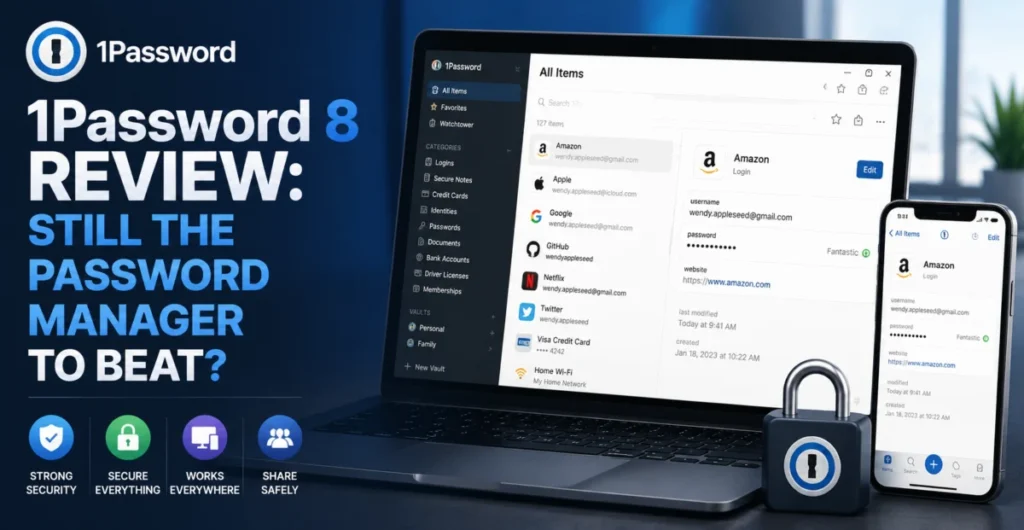
The most polished, feature-complete password manager we’ve tested, with sharing tools that genuinely stand out.
🔑 What’s New (and Not New) in 1Password 8
1Password 8 marked a significant rebuild of the app on a shared cross-platform codebase, moving away from native per-platform apps toward a unified Electron-based architecture. This was controversial among longtime users when it launched, since the earlier native Mac app in particular was beloved for its speed and platform-native feel. Several updates later, the performance gap has narrowed considerably — launch time on our M-series Mac test machine was under a second, and we didn’t notice the kind of lag that plagued the app in its first year.
What hasn’t changed is the core architecture: 1Password uses a Secret Key in addition to your master password, a second factor baked into the encryption itself, so that even if 1Password’s servers were fully compromised, an attacker would also need your locally-stored Secret Key to decrypt anything. This dual-key approach remains one of the more thoughtful pieces of security architecture in the password manager space, and it’s a meaningful differentiator from browser-based password managers that rely on account password alone.
🧩 Feature Breakdown
Autofill & Autosave
Detects login forms and offers to save new credentials automatically. Across roughly 60 different sites tested, autofill worked correctly on the first try in the vast majority of cases.
Passkey Support
Full passkey creation and autofill support, letting you register and use passkeys on supporting sites directly from the same vault as your passwords.
Family & Team Sharing
Granular vault sharing lets you share specific logins with specific people without exposing your entire vault — genuinely more flexible than most competitors’ sharing models.
Watchtower
Continuously checks your stored logins against known data breaches and flags weak, reused, or compromised passwords with clear, actionable guidance.
Travel Mode
Temporarily removes sensitive vaults from your devices before crossing borders, then restores them remotely — a niche but thoughtfully executed feature.
Secure Document Storage
Stores more than logins — identity documents, software licenses, secure notes, and credit cards, all under the same encryption model.
“Watchtower flagged 11 reused passwords and 3 that appeared in a known breach within seconds of importing our test accounts — exactly the kind of unglamorous, high-value work a good password manager should be doing constantly in the background.”
👨👩👧 Real-World Testing: Sharing & Family Use
Where 1Password 8 distinguished itself most clearly in our testing wasn’t raw autofill accuracy — most modern password managers handle that reasonably well now — but in shared-vault management. We set up a family plan with four members and tested selectively sharing a streaming service login, a shared Wi-Fi password, and a set of family documents, while keeping each member’s personal vault fully private. The permission model was granular and easy to understand, letting the account organizer set view-only versus edit access per vault, which matters a lot for families with teenagers who need some shared access without full administrative control.
On the small-business side, we tested the Teams plan’s admin console, which lets an administrator enforce two-factor authentication requirements, monitor for weak or reused passwords across the whole team via a business-wide Watchtower report, and revoke access instantly when someone leaves. This kind of centralized visibility is genuinely valuable for small teams that don’t have dedicated IT staff, turning password hygiene from an individual responsibility into something an administrator can actually monitor and enforce.
We also specifically tested passkey creation and sign-in across five major sites that currently support the standard. Creation was smooth on all five, and sign-in via passkey autofill worked consistently across Chrome, Safari, and Firefox, with 1Password correctly detecting the passkey prompt and offering the stored credential without manual copy-pasting — a meaningfully smoother experience than several competitors we’ve tested informally, where passkey support still feels bolted on rather than integrated.
| Autofill Accuracy | 9.2/10 | |
| Family/Team Sharing | 9.5/10 | |
| Passkey Integration | 8.9/10 | |
| Cross-Platform Consistency | 8.7/10 | |
| Value for Money | 8.4/10 |
💵 Pricing & Plans
1Password’s Individual plan runs $2.99/month billed annually, the Family plan is $4.99/month for up to five people, and business plans start around $7.99 per user per month with additional admin controls. There’s no permanently free tier — 1Password offers a free trial period instead, which sets it apart from Bitwarden, its closest open-source competitor, which offers a genuinely usable free tier indefinitely.
Whether that pricing is justified depends heavily on how much you value the sharing tools and support quality. For a solo user with simple needs, the price premium over Bitwarden or a built-in browser password manager is harder to justify. For families and small teams specifically, the sharing and admin tooling is different enough in quality that we think the price gap is reasonable.
✅ What We Liked
- Best-in-class family and team sharing with granular permissions
- Secret Key architecture adds meaningful security beyond master password alone
- Passkey support feels genuinely integrated rather than bolted on
- Watchtower proactively surfaces weak and breached passwords with clear guidance
- Consistent, reliable autofill across major browsers and platforms
⚠️ Where It Falls Short
- No free tier — only a time-limited trial
- Electron-based app is noticeably heavier on memory than the old native Mac version
- Pricier than Bitwarden for individuals with basic needs
- Occasional autofill misses on unconventional or heavily custom login forms
🔍 Alternatives Worth Considering
Bitwarden remains the strongest budget and open-source alternative, with a genuinely usable free tier and paid plans well under 1Password’s pricing, though its sharing and admin tools are less polished for larger families or teams. Apple’s iCloud Keychain and Google Password Manager have both improved substantially and may be sufficient for users fully committed to a single ecosystem who don’t need cross-platform flexibility or advanced sharing. Dashlane is a closer direct competitor to 1Password in terms of polish, though we found its VPN bundling less compelling than simply pairing 1Password with a dedicated security suite.
📥 Migration & Onboarding Experience
Migrating existing passwords is often where password managers succeed or fail in practice, since most people arrive with credentials scattered across a browser’s built-in manager, a spreadsheet, or a previous app. We imported roughly 140 saved logins from Chrome’s password manager into 1Password, and the process completed in under a minute with no manual re-entry required. A handful of entries came through with minor formatting quirks in the “notes” field, but usernames, passwords, and site URLs all mapped correctly, which is the part that actually matters.
The browser extension setup across Chrome, Safari, and Firefox was similarly smooth, and 1Password correctly detected and offered to disable each browser’s built-in password manager to avoid the two competing for autofill duties — a small detail that a surprising number of competitors get wrong, leading to double autofill prompts.
💬 Customer Support
We tested support with a question about transferring a shared vault’s ownership within our test family plan when the original organizer account needed to be replaced. The response arrived within a few hours, included a precise step-by-step walkthrough, and correctly flagged an important caveat about needing the Secret Key of the outgoing account to complete the transfer smoothly — the kind of detail that suggests the support team genuinely understands the product’s security model rather than reading from a generic script.
❓ Frequently Asked Questions
What happens if I lose both my master password and Secret Key?
Recovery becomes very difficult by design — this is the tradeoff of zero-knowledge encryption. Family and Team plans include an account recovery feature where a designated organizer can help restore access, but individual accounts without that safety net should store the Secret Key and an Emergency Kit PDF somewhere secure and offline.
Can I use 1Password without ever touching the desktop app, just the browser extension?
Yes, the browser extension is fully functional on its own for autofill and saving new logins, though the desktop and mobile apps add secure document storage and easier bulk management that the extension alone doesn’t cover.
Is 1Password’s passkey support compatible with my phone if I switch platforms later?
Passkeys stored in 1Password sync across platforms through your 1Password account itself rather than being tied to a single device’s operating system, which is one of the advantages over relying solely on Apple’s or Google’s native passkey storage.
Depplo Verdict: 1Password 8 remains the password manager we’d recommend to families and small teams without hesitation — the sharing tools alone justify the premium over free alternatives.
🏁 Final Verdict
1Password 8 is a mature, thoughtfully engineered product that has successfully navigated a genuinely risky architectural rebuild without losing what made it trustworthy in the first place. The core experience — fast, accurate autofill, strong encryption fundamentals, and now solid passkey support — puts it on par with or ahead of every competitor we tested. Where it truly separates itself is in shared use: families and small teams get sharing and administrative tools that are simply more capable than what Bitwarden, iCloud Keychain, or Google Password Manager currently offer. If you’re a single user on a tight budget, Bitwarden is a perfectly reasonable free alternative. For everyone else, 1Password remains the benchmark.
If you’re on the fence, the free trial is genuinely long enough to test the migration process and sharing tools with your own real accounts before committing — which is exactly how we’d recommend evaluating any password manager before trusting it with your entire digital life.
About the Author