Not everyone needs — or wants to pay for — a premium VPN with every bell and whistle attached. If your main goals are basic privacy on public Wi-Fi, unblocking a streaming catalog while traveling, or simply hiding your browsing from your ISP, a budget-tier VPN under $3/month can genuinely cover the essentials without the premium markup.
We compared the true monthly cost, feature set, and trade-offs across the lowest-priced tiers of several well-known providers to see which budget options are worth it — and which ones cut too many corners.
What “Budget” Really Means in VPN Pricing
Almost every provider on this list only hits the sub-$3 mark on their longest available plan — typically 24 or 36 months, paid in a single upfront charge. None of these providers offer a genuinely low monthly rate; the low number always refers to a heavily discounted long-term commitment. Understanding that upfront prevents any surprise at checkout.
Budget Tier Comparison Table
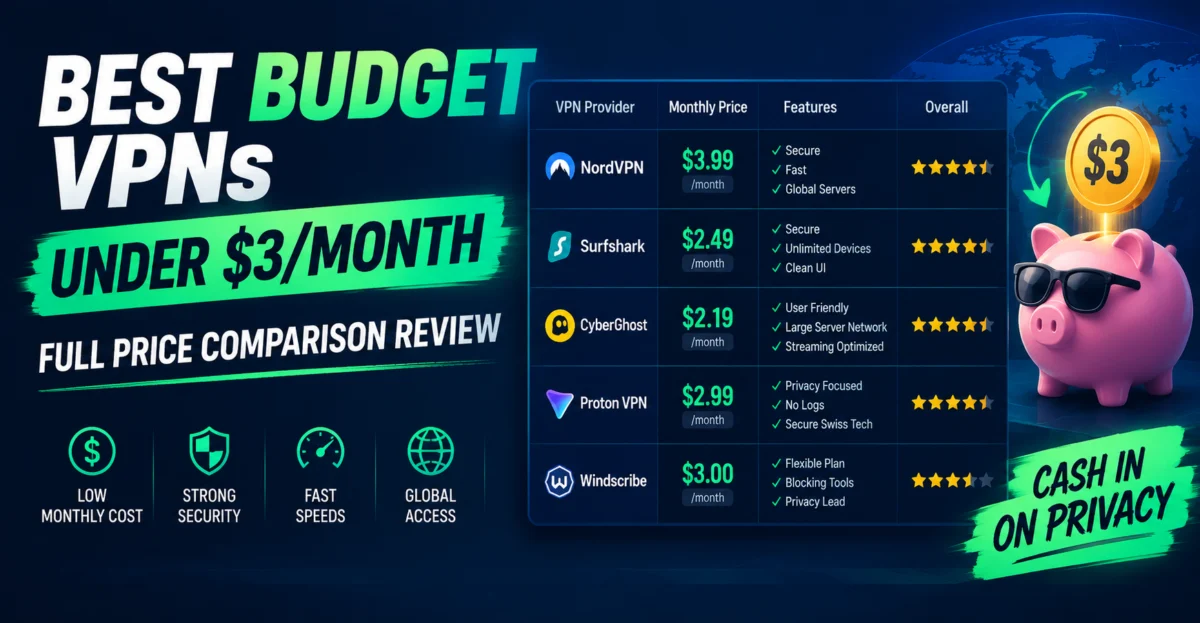
| Provider | True Monthly (longest plan) | Upfront Total | Devices | Server Countries |
|---|---|---|---|---|
| Surfshark | ~$1.99 | ~$47.76 (2-yr) | Unlimited | 100+ |
| Private Internet Access | ~$2.03 | ~$79.00 (3-yr) | 10 | 90+ |
| CyberGhost | ~$2.19 | ~$52.71 (2-yr) | 7 | 100+ |
| PrivateVPN | ~$2.00 | ~$72.00 (3-yr) | 10 | 60+ |
| IPVanish | ~$2.19 | ~$52.55 (2-yr) | Unlimited | 75+ |
Approximate figures reflecting typical long-term promotional pricing; always verify the current offer before purchasing.
Surfshark: The Budget Standard-Bearer
Surfshark consistently anchors the low end of the budget category while still offering unlimited simultaneous connections and a genuinely large server network — a combination that’s rare at this price point. The main caveat is renewal pricing, which climbs noticeably once the initial 2-year term ends, so the sub-$2 rate is really a “new customer” price rather than a permanent one.
Private Internet Access: Open-Source Transparency on a Budget
PIA distinguishes itself in the budget tier by publishing open-source apps, which lets independent security researchers review the code rather than taking security claims on faith. Its 3-year plan pushes the effective cost slightly above Surfshark’s but remains firmly in budget territory, with a reasonable 10-device limit that covers most households.
CyberGhost: Streaming-Optimized on a Budget
CyberGhost markets itself heavily around pre-configured “streaming servers” optimized for specific platforms, which can be a genuine time-saver for budget users whose main use case is unblocking geo-restricted content. Its 7-device limit is the lowest on this list, worth noting if you’re covering a larger household.
PrivateVPN and IPVanish: Smaller Names, Real Savings
Both providers deliver true budget pricing but with notably smaller server networks than the bigger names above. For users whose needs are simple — basic encryption and a handful of server locations — this trade-off may not matter. For anyone who needs consistent access to a wide spread of specific countries, the smaller network could be a real limitation worth weighing against the savings.
What You Typically Give Up at Budget Pricing
Budget-tier VPNs aren’t automatically worse at their core job — encrypting your traffic — but they commonly trim costs in a few consistent places:
- Smaller server networks — fewer country options, which can matter for accessing specific regional content.
- Slower or less consistent customer support — often limited to email/ticket systems rather than 24/7 live chat.
- Fewer bundled extras — password managers, antivirus, and identity-monitoring add-ons are more commonly reserved for premium tiers.
- Steeper renewal price jumps — the lower the entry price, the bigger the percentage increase tends to be at renewal.
Is Cheaper Ever Actually Worse for Security?
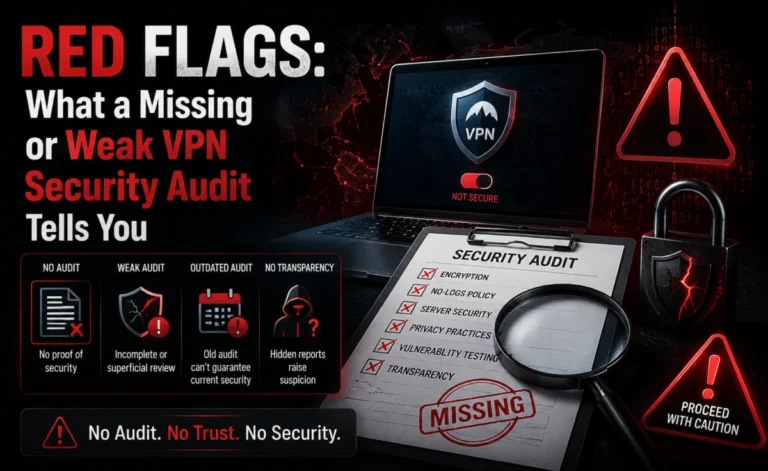
This is a common concern, and the honest answer is: not necessarily. Core VPN protocols (like WireGuard and OpenVPN) are open standards, and a budget provider implementing them correctly can offer comparable baseline encryption to a premium one. Where budget providers more commonly fall short isn’t the core protocol — it’s supporting infrastructure: audit frequency, transparency reporting, and how quickly they patch vulnerabilities. It’s worth checking whether a budget provider has undergone a recent independent security audit before trusting it with sensitive traffic.
Who Budget VPNs Are Actually Right For
- Casual users mainly protecting public Wi-Fi browsing (cafes, airports, hotels)
- Streaming-focused users who mainly need geo-unblocking rather than heavy-duty privacy
- Budget-conscious households that value unlimited device support over a large server list
- Anyone testing whether they’ll use a VPN regularly before committing to a premium provider
Who Should Consider Spending More
Journalists, activists, people in high-censorship regions, or anyone whose safety could depend on airtight privacy guarantees should generally prioritize independently audited, premium-tier providers over the cheapest available option — this is a case where the savings genuinely aren’t worth the added risk.
Coupon Codes and Flash Sales: Do They Actually Help?
Budget VPN marketing leans heavily on urgency — countdown timers, “today only” banners, and coupon codes that appear to unlock an extra discount on top of an already-discounted long-term plan. In practice, many of these promotional layers are effectively baked into the standard pricing shown to most visitors rather than being a rare, limited-time event; the “flash sale” framing is largely a conversion tactic rather than a reflection of genuinely fluctuating pricing. That doesn’t mean the discount isn’t real — it usually is — but it’s worth not letting a countdown timer pressure you into a longer commitment than you’d otherwise choose. If the same or a very similar rate is still available after taking a day to think it over, the “urgency” was mostly presentational.
Third-party coupon sites can occasionally surface a genuinely better rate than what’s shown directly on a provider’s own pricing page, but they can also be outdated, so it’s worth double-checking any external code against the live checkout total before assuming it’s stacking correctly.
A Realistic First-Year Budget VPN Case Study
Consider a household that signs up for a budget provider’s 2-year plan at roughly $2/month, paying around $48 upfront. Over that first year, they use the VPN mainly for streaming while traveling, occasional public Wi-Fi protection, and light day-to-day browsing privacy. Compared to a $12.99/month plan with no discount — which would total over $155 for the same 12 months — the budget provider saves well over $100 in year one alone, even before the second discounted year is factored in.
The trade-offs that household is implicitly accepting: a smaller server list than a premium alternative, standard rather than 24/7 live support in some cases, and a renewal price at the end of the 2-year term that will likely be several times higher than the promotional rate they locked in. For a household whose needs stayed genuinely basic throughout that period, the trade was clearly worth it. The calculation changes if their needs grow — say, into privacy-sensitive remote work — where the smaller server network and support gaps become more noticeable.
Comparing Budget VPNs to Free VPN Alternatives
It’s worth being explicit about where budget paid VPNs sit relative to fully free options, since the two are sometimes lumped together in casual comparisons. Free VPN tiers typically impose hard data caps, a limited handful of server locations, and slower speeds during peak usage, since the provider has far less revenue to fund infrastructure. A sub-$3/month paid plan, by contrast, generally removes data caps entirely and provides access to a genuinely large server network — the gap in practical usability between “free” and “cheap paid” is usually much larger than the small price difference would suggest. For anyone who has outgrown a free VPN’s limitations, the jump to a budget paid tier tends to be the highest-value upgrade available in the entire VPN pricing spectrum.
How Long Should You Commit at This Price Point?
Because the discount curve is steepest between monthly and 1-year plans, and budget providers’ true “bargain” pricing usually requires a 2 or 3-year commitment, it’s worth pausing before jumping straight to the longest available term simply because it displays the lowest number. A reasonable approach: commit to the 1-year plan first if you’re new to a given provider, confirm it holds up across different network conditions and use cases over several months, and only then consider extending into a 2 or 3-year renewal once you have enough real-world experience with that specific provider’s reliability to justify the longer lock-in.
Frequently Asked Questions
Are budget VPNs safe to use for online banking?
Generally yes, provided the provider uses standard strong encryption protocols and has a reasonable security track record — but it’s worth checking recent independent reviews before trusting any provider with financial logins.
Why do budget VPNs only look cheap on multi-year plans?
Because the discount structure is built around rewarding long commitments; nearly every provider’s monthly rate sits well above $10, regardless of price tier.
Do budget VPNs work well for streaming?
Several do — Surfshark and CyberGhost in particular are commonly used for streaming unblocking — though consistency can vary more than with premium providers as streaming platforms update their blocking methods.
Bottom Line
A sub-$3/month VPN can absolutely meet the needs of the average user, provided you go in understanding the trade-offs: smaller server networks, fewer bundled extras, and steeper renewal pricing down the line. For basic privacy and streaming use, budget providers like Surfshark and PIA offer a genuinely strong value proposition — just don’t expect premium-tier support or audit transparency at this price point.
About the Author